Set password in Salesforce
Well, not really, this is about setting up a password via Apex and SF CLI.

Really?
You are now creating a tip on how to reset a password? What's next? How to log in to Salesforce?
Well, not really, this is about setting up a password via Apex and SF CLI.
You might want to do this when you are already authenticated (i.e., via OAuth) but have forgotten the password, and resetting the password via UI in the classic way is too simple for such a pro, or you just have issues receiving the email with the one-time reset password link.
Set password via Apex script
If you are authenticated in IDE, use your terminal to get your user ID.
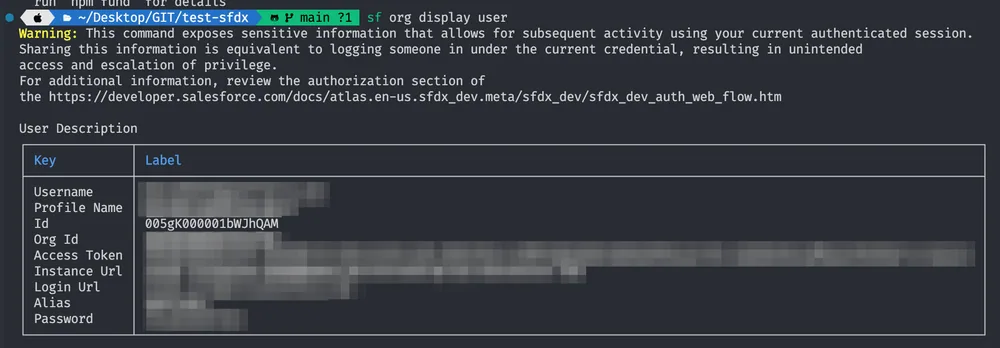
Then you have to execute anonymous Apex code entered on the command line or from a local file. The apex script will be:
System.setPassword(USERID, PASSWORD);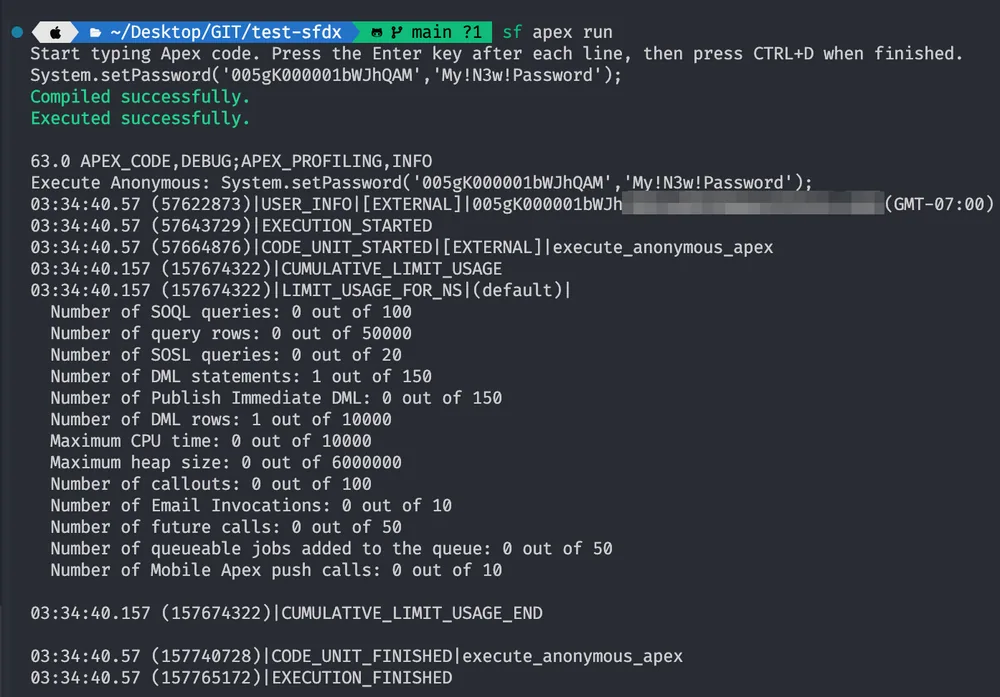
That's how you can set a password, but there is one more way. The documentation says it is just for scratch orgs, but as of now, it also works for normal orgs.
Generate password via SF CLI
sf org generate passwordThere are additional parameters to generate strong passwords, such as: --length X (default 13; valid values between 8 and 100) --complexity X (default 5; valid values between 0 and 5)