User Access Policies
From the Summer’24 release, we can use User Access Policies to automate assignments (and removal of assignments) to permission set licenses, permission sets, permission set groups…

Automate Access Management using User Access Policies
From the Summer’24 release, we can use User Access Policies to automate assignments (and removal of assignments) to permission set licenses, permission sets, permission set groups, package licenses, queues, and public groups.
To enable this feature, go to Setup > User Management Settings, and toggle User Access Policies.
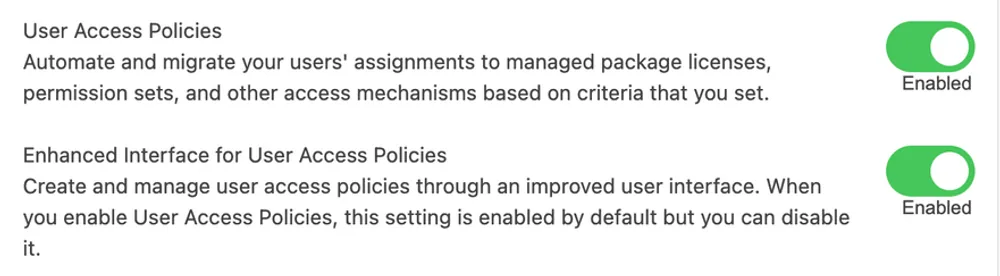
By default, it will also enable an enhanced interface for user access policies, giving you a better user interface to manage the policies.
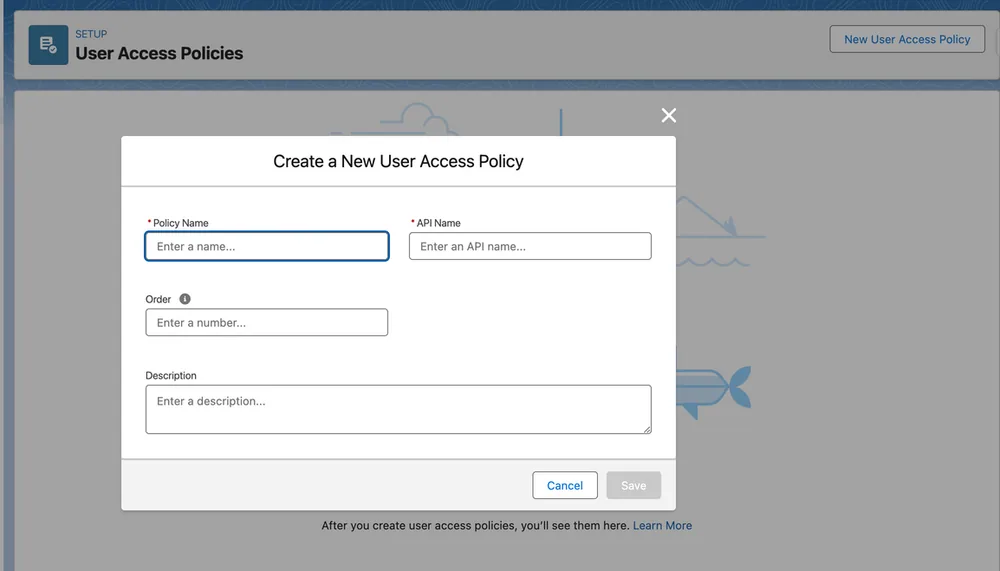
Enahnced User Interface (based on Lightning look and feel).
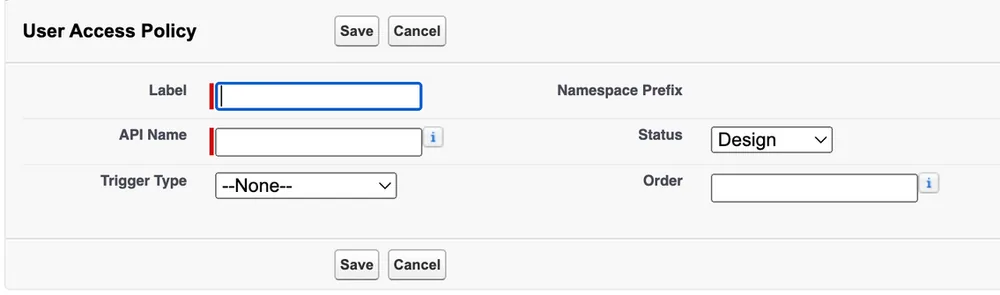
Standard User Interface (based on Visualforce Page look and feel).
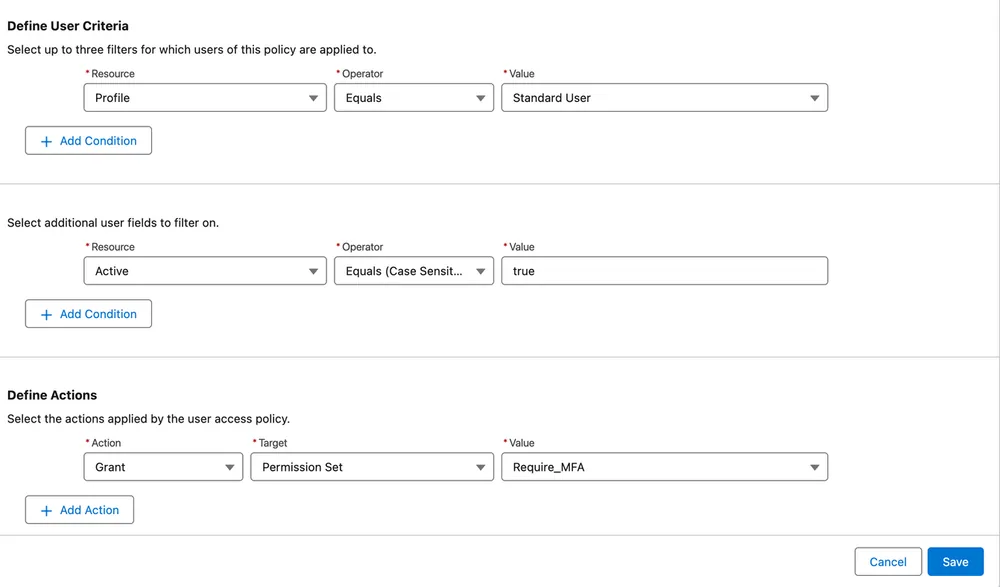
You can define the User criteria by which users will be matched for the rule. These criteria can be matched by: Public Group, Queue, Permission Set, Permission Set Group, Package License, Profile and Role.
Additionally to that, you need to filter by user-specific information like User Type, Email, Active status, and more.
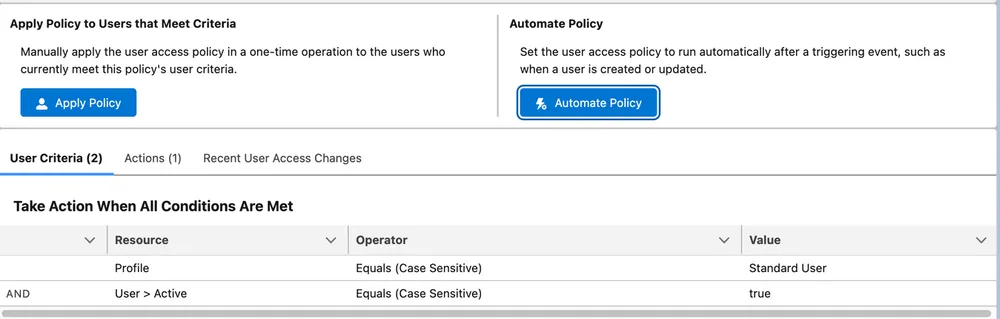
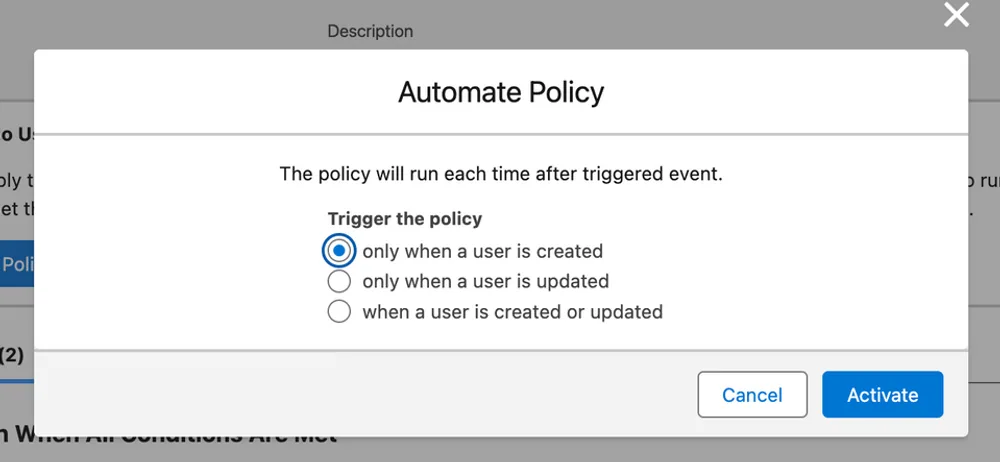
Created User Access Policy can be triggered manually, or automated to run every time user is created, updated or on both events.
Considerations
Automated policies cannot be deployed before deactivation on the target Salesforce org, which means manual intervention is required during deployments.
An action performed by a user access policy can’t trigger another user access policy.
You can have up to 200 active user access policies at a time.
Multiple policies have Order field which determine the order in which they will run.
An active policy is applied to existing users only when their records are updated to match the policy’s criteria.