Build Dynamic Report for Record Page
Build Dynamic Reports on Record Pages
This example contains sum of amount for all opportunities related to the account. Check next pages to see how to do that in 6 simple steps!

You can easily add dynamic reports like this one to your record pages:
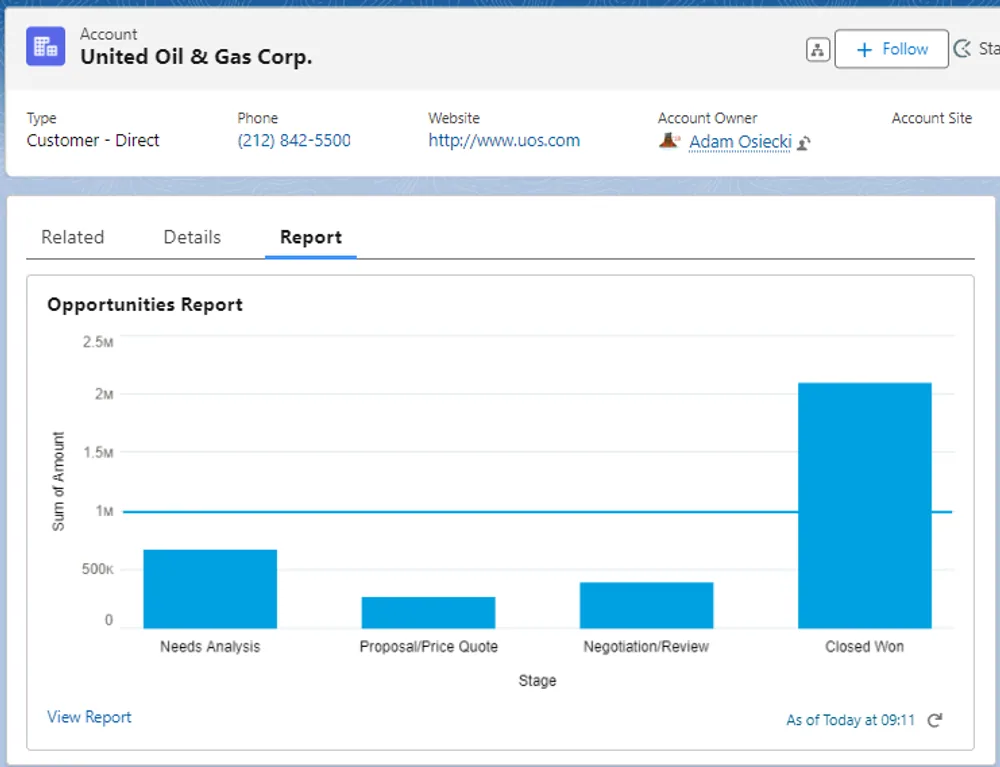
This example contains sum of amount for all opportunities related to the account. Check next pages to see how to do that in 6 simple steps!
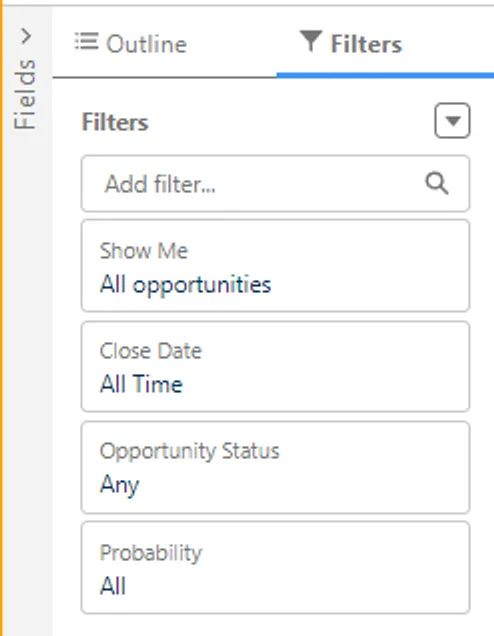
1. Create your report. (Mote that no filter on Account Id is added at this stage). Add grouping by the stage so that we can create a chart
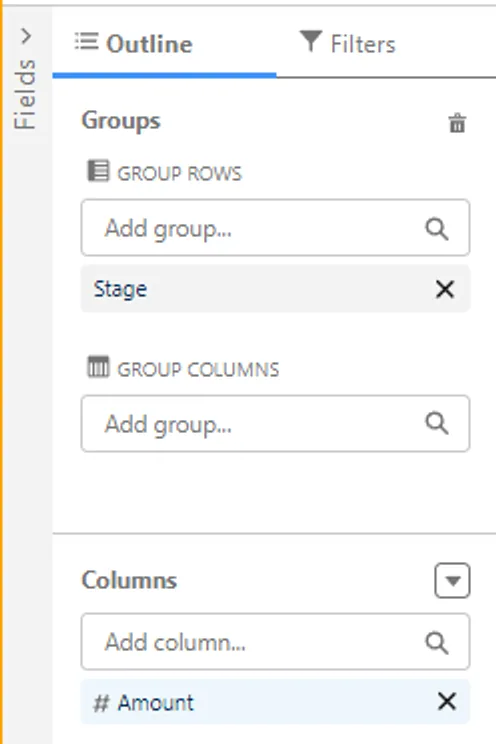
Check next page to see how to create a chart and add it to record page

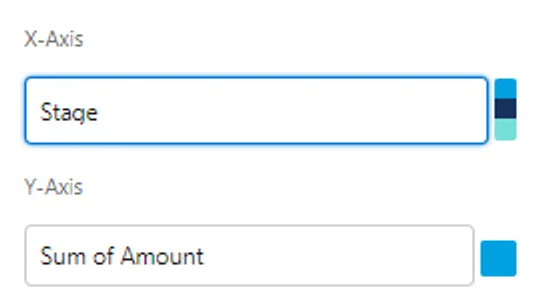
2. Click on and select the chart type that you prefer. Set the values for X and Y axis as shown below
3. Save your report. It is important to save it in public folder!
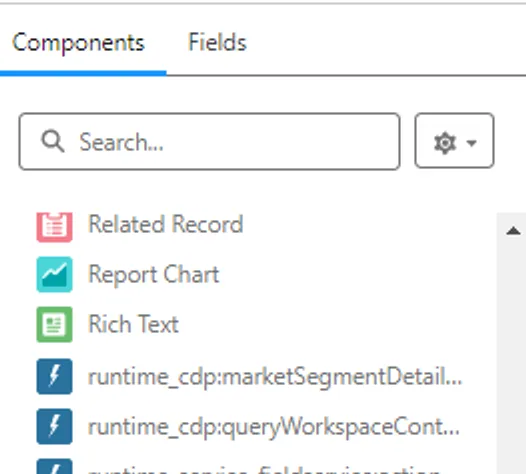
4. Last step is to add report to the record page. Go Lightning App Builder to edit your page, and select the standard component:
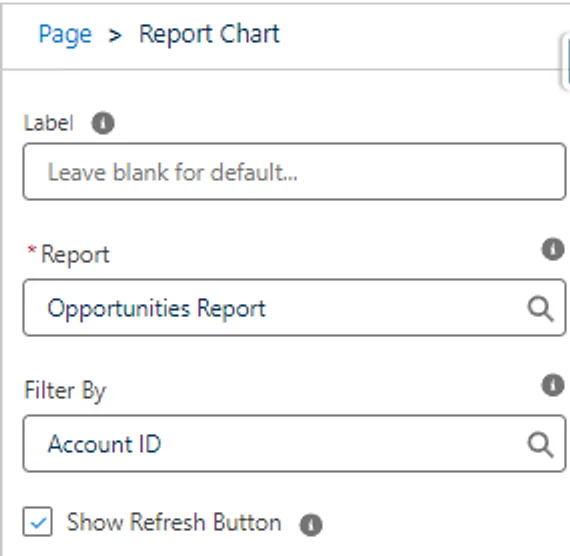
5. In component properties, find your report. Set Filter By to Account Id. It will dynamically get the current page Account Id.
6. Save changes and refresh the page. Voila! Your shiny new report is added to the page!