List View Intelligence
In Winter 24 Release, Salesforce released Intelligence View for leads and contacts List Views. This view brings in some activity metrics related to the displayed records activities, e.g…

In Winter 24 Release, Salesforce released Intelligence View for leads and contacts List Views. This view brings in some activity metrics related to the displayed records activities, e.g. number of records with activities due today
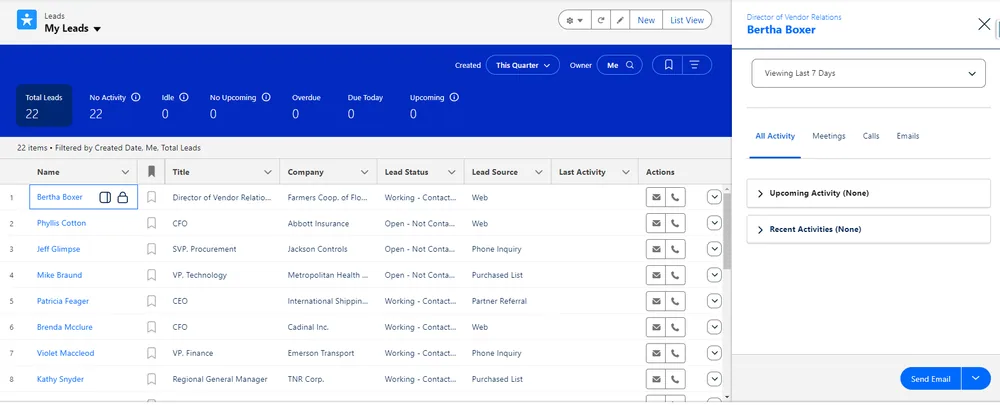
Check the next slide to see how to enable and open Intelligence View
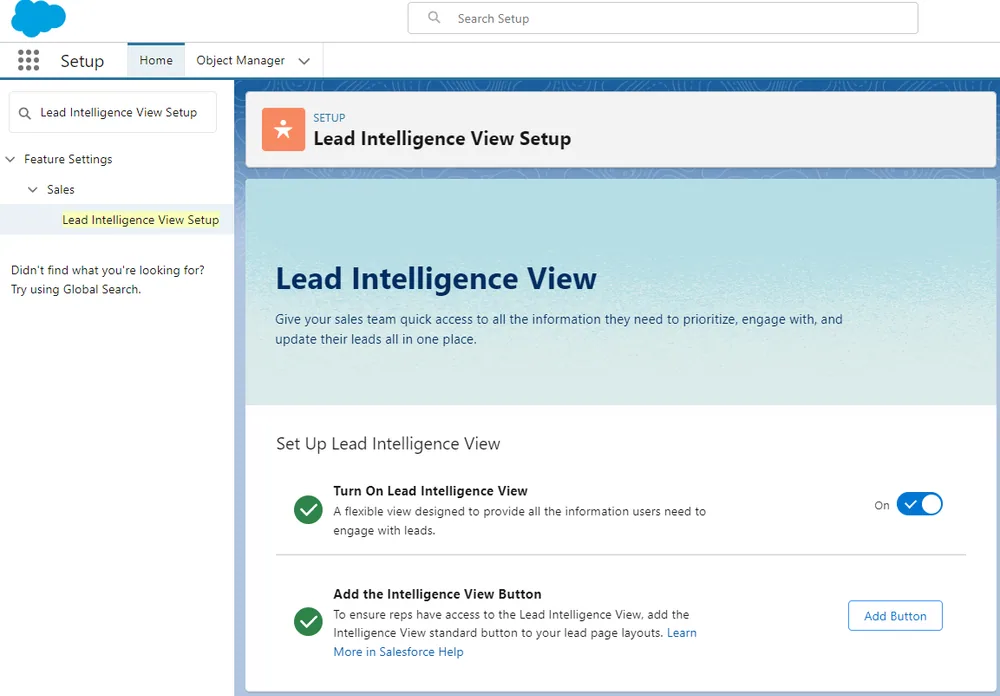
Go to Setup and find “Lead Intelligence View Setup” . Turn on Lead Intelligence View, and also add the intelligence view button:
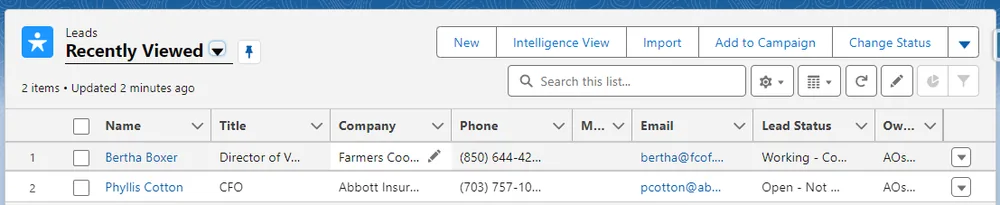
Now you can switch between standard list view and Intelligence View by using an action button:
The same steps could be followed to enable Intelligence View for contacts.