Set Default Values for Invocable Action Parameters
How to set default values to invocable action parameters?
Starting with the Summer '24 release, you can now set default values for your invocable actions. These default values will be visible in Flow Builder. Let's see how easy this is!

Starting with the Summer '24 release, you can now set default values for your invocable actions. These default values will be visible in Flow Builder. Let's see how easy this is!
public class FlowParameters {
    @InvocableVariable(
        label = 'Parameter With Default Value'
        defaultValue = 'My Default Value'
        placeholderText = 'My Placeholder'
    )
    public String myExampleParameter;
}
First, add default value annotation to your invocable variable
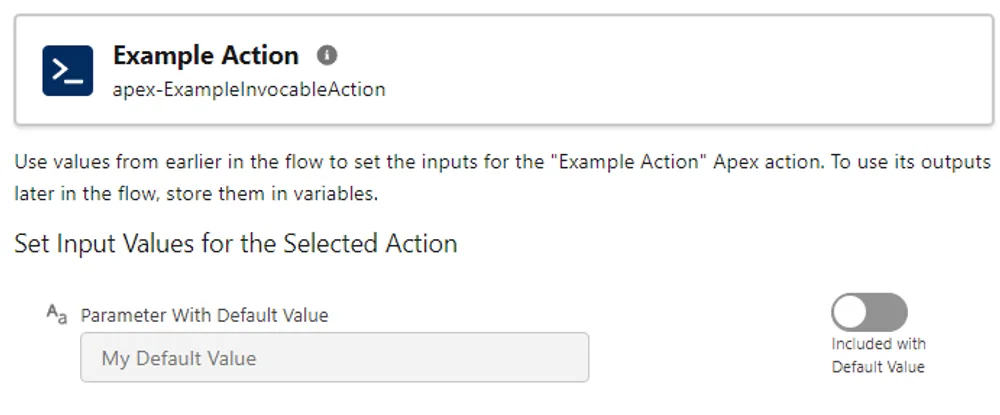
Now, default value is available in Flow Builder. You can also notice that it is possible to set the custom label for your variable:
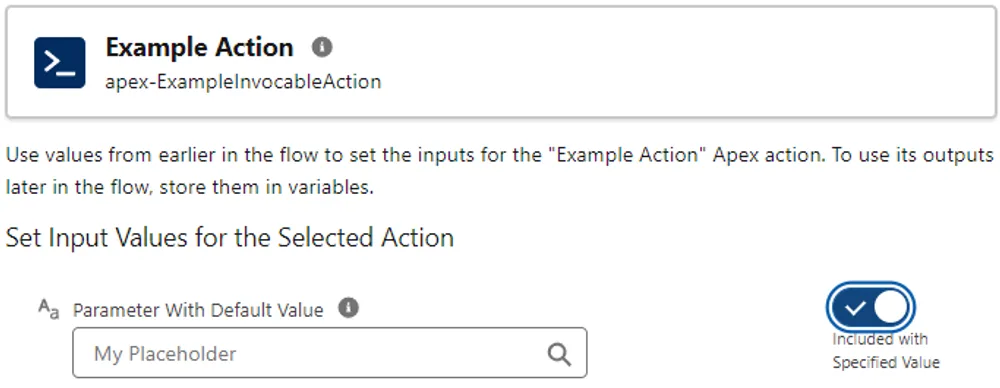
If you decide to not use default value, you just need to simply toggle the checkbox. Now, instead of the default value you will see the placeholder, that can be also specified on your variable: