JavaScript snippets
Chrome Dev Tools Javascript Snippets
Navigate to the Sources tab and select Snippets from the left toolbar.

Do you need to experiment with javascript quickly or just want to run a script in your browser a few times?
Checkout the Snippets feature of Chrome Developer Tools
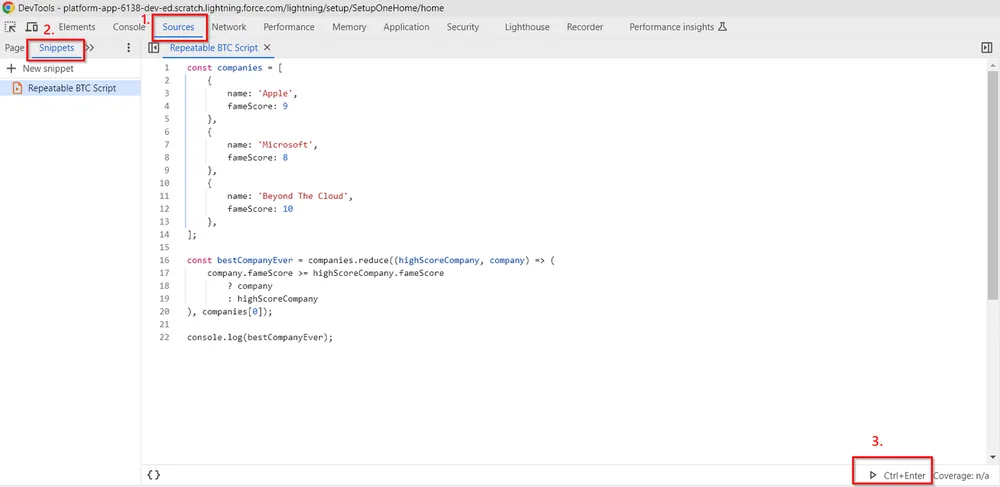
Here’s what you need to do step by step
Open the Chrome Console by pressing F12 on Windows or Fn + F12 on
MAC.
Navigate to the Sources tab and select Snippets from the left toolbar.
Click New snippet and name it.
Write your script, save, and execute as many times as you wish.