How to format date in LWC
In order to format date in LWC, you can use Intl.DateTimeFormat object which enables language-sensitive date and time formatting.

In order to format date in LWC, you can use Intl.DateTimeFormat object which enables language-sensitive date and time formatting.
The lightning-formatted-date-time component also uses Intl.DateTimeFormat in its codebase.
import { LightningElement } from 'lwc';

export default class FormatDate extends LightningElement {
    date = new Date();
    formattedDate = new Intl.DateTimeFormat('en-GB').format(this.date);
}
This example shows the shorthand version of DateTimeFormat function, with only one parameter passed - locale. Example value of formattedDate: '21/07/2024'.
You can also pass an options argument with more advanced formatting rules:
import { LightningElement } from 'lwc';

export default class FormatDate extends LightningElement {
    date = new Date();
    formattedDate = new Intl.DateTimeFormat('en-GB', {
        dateStyle: 'full',
        timeStyle: 'long',
        timeZone: 'Australia/Sydney'
    }).format(this.date);
}
Example value of formattedDate: 'Monday 22 July 2024 at 02:00:00 GMT+10'
You can find those options here.
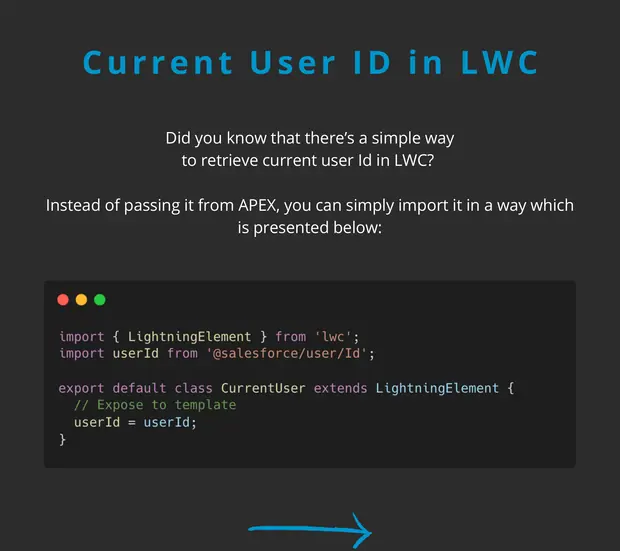
If you need to make your code aware of current users locale or timezone, you can simply import those properties from i18n module.
import { LightningElement } from 'lwc';
import LOCALE from '@salesforce/i18n/locale';
import TIMEZONE from '@salesforce/i18n/timeZone';

export default class FormatDate extends LightningElement {
    date = new Date();
    formattedDate = new Intl.DateTimeFormat(LOCALE, {
        dateStyle: 'full',
        timeStyle: 'long',
        timeZone: TIMEZONE
    }).format(this.date);
}
Remember: avoid overengineering and use the lightning-formatted-date-time when you can.
<template>
    <lightning-formatted-date-time
        value={date}
        year="numeric"
        day="2-digit"
        month="long"
        time-zone="UTC"
    >
    </lightning-formatted-date-time>
</template>
Links: @salesforce/i18n module lightning-formatted-date-time Intl.DateTimeFormat