Document Design Mode
Document design mode for demo and testing
Do you know that there is a special HTML feature that allows you to modify the content of the web page without touching the underlying code? It is called document design mode

Do you know that there is a special HTML feature that allows you to modify the content of the web page without touching the underlying code? It is called document design mode
How to enable it?
Just type this command in the browser developer tools.
document.designMode = 'on';Let’s check an example
Let’s edit the Salesforce Sales home page using the design mode. It looks like that before the adjustments:
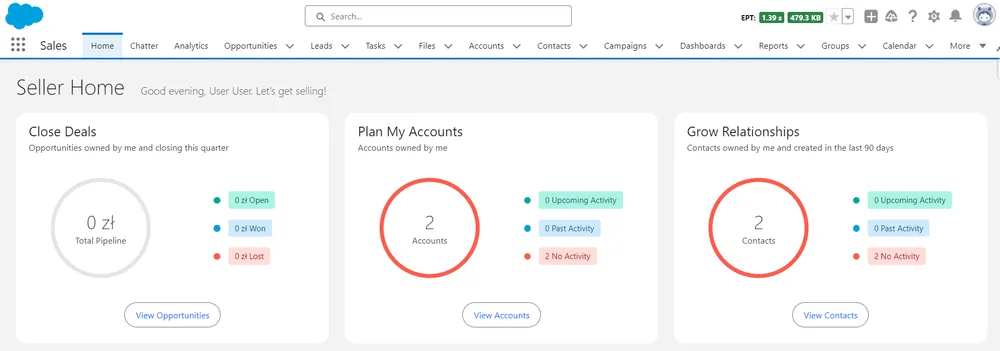
After enabling the design mode, its content becomes editable and we can change every label on the page
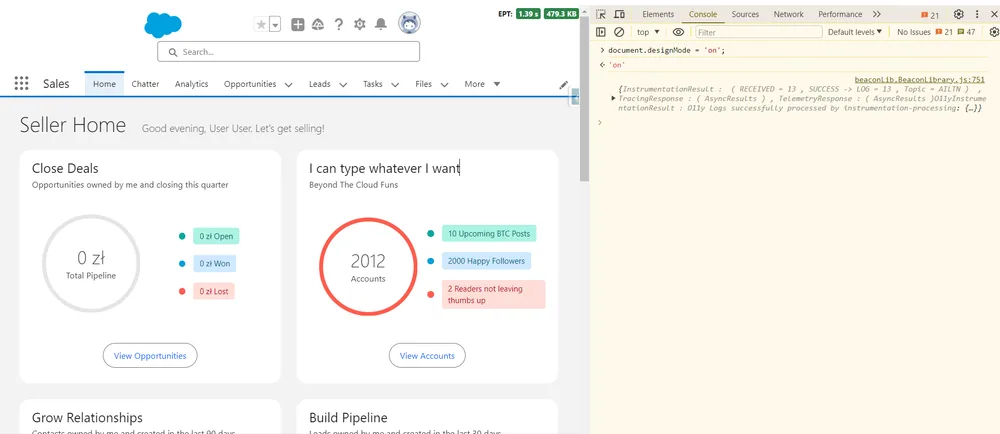
When is it useful?
Simple demo - you don’t have the perfect code yet or you haven’t prepared ideal demo data, but would like to send a screenshot to receive feedback from the customer Fast prototyping Quick UI tests - to check how your component would look like with certain content Making a prank ;)