---
title: "Custom Logout in Experience Cloud"
url: "https://blog.beyondthecloud.dev/blog/custom-logout-in-experience-cloud"
author: "Piotr Gajek"
published: "2022-08-11"
updated: "2025-02-19"
tags: "aura, experience cloud, logout, lwc"
---
# Custom Logout in Experience Cloud
By [Piotr Gajek](https://blog.beyondthecloud.dev/author/piotr-gajek.md), August 11, 2022
Hello,
Today we will focus on Salesforce Experience Cloud.
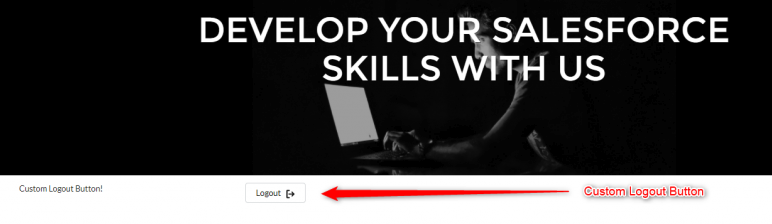
I would like to show you how we can create a custom logout button, which allows you to use it in custom navigation or custom components.
To achieve this goal, we will use the existing salesforce event listener, and we will create simple Aura and LWC components.
Let’s get started!
## Solution Background
In your community, you can find a js file called **logoutHandler.js**.
You can open it using _chrome dev tools_.
As you can see on the screens below, when the community is rendered, there is an event listener on **force:logout** event.
What we need to do is only fire that event on your own component!
Based on those assumptions we can develop our code.
## Code
Aura will be used as a wrapper and a place to fire our event.
`$A.get(e.force:logout).fire();`
Unfortunately, we cannot fire it directly from Lightning Web Component.
LWC will contain only the logout appearance.
### Lightning Web Component
**customLogoutButton.html**
```html
```
**customLogoutButton.js**
```js
import { LightningElement } from 'lwc';
export default class CustomLogoutButton extends LightningElement {
handleLogout() {
this.dispatchEvent(new CustomEvent('logout'));
}
}
```
### Aura Wrapper
**customLogoutButtonWrapper.cmp**
```html
```
**customLogoutButtonWrapperController.js**
```js
({
handleLogout : function(component, event, helper) {
$A.get(e.force:logout).fire();
}
})
```
That’s all that I have for you today!
Enjoy!
---
If you have some questions feel free to ask in the comment section below. 🙂
Was it helpful? Check out our other great posts [here](https://blog.beyondthecloud.dev/blog).
---
## References
* [Salesforce Events](https://developer.salesforce.com/docs/component-library/overview/events)